DeadLyzeA companion for Deadlock

The whole match at a glance

Know who you're up against before the first minute — and pick your game for the opponent. Every player's strengths and weaknesses, an honest breakdown of your matches and progress you can see in numbers.

  1. Active match
  2. Player profile
  3. Match breakdown
01 – Active match

Everything about the lobby

See who is playing right now in a party, who picked their signature hero and who you've already met.

Both teams on one screen
02 – Player profile

How strong a player really is

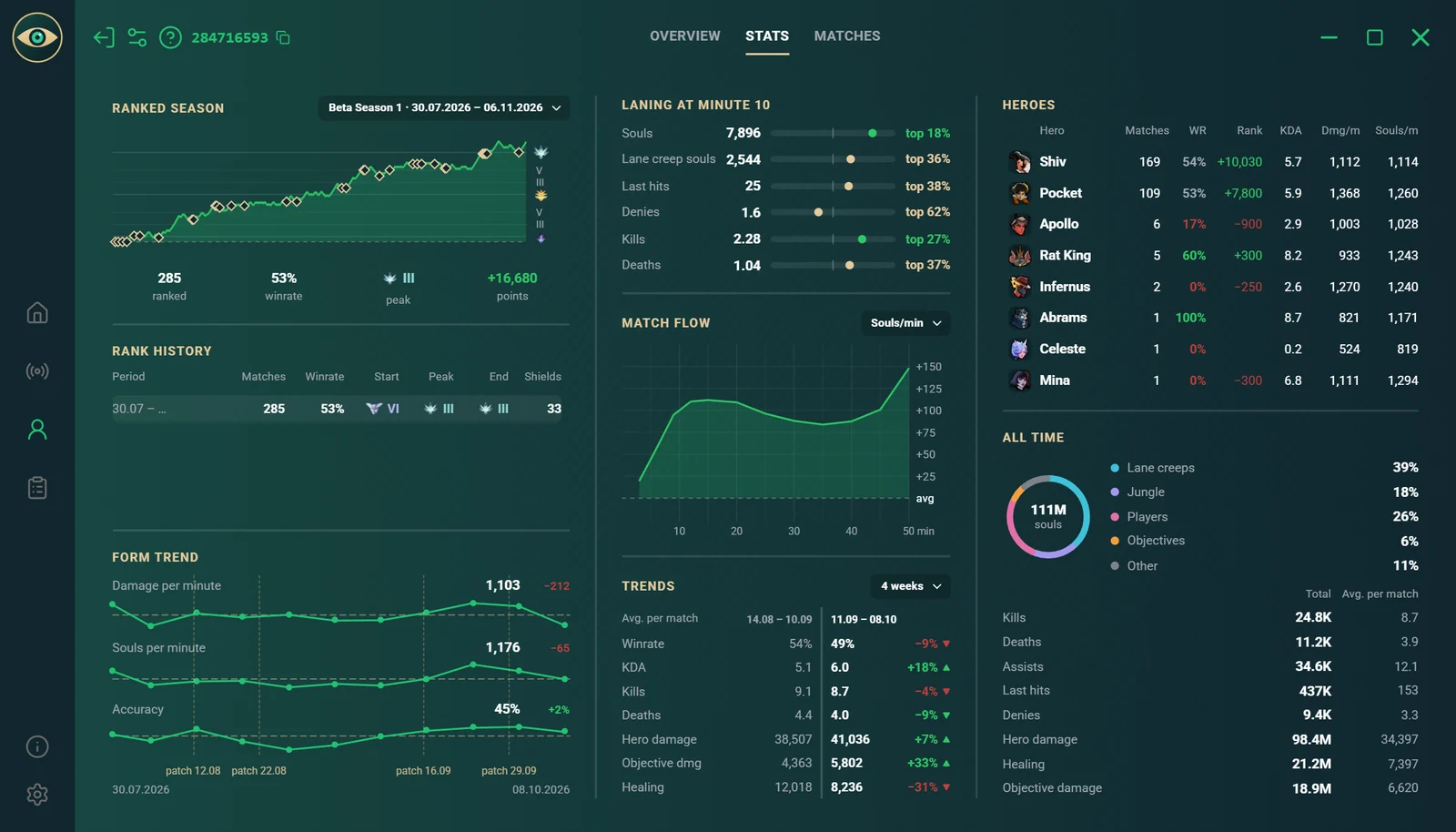
A player's activity and form, their season history and recent results.
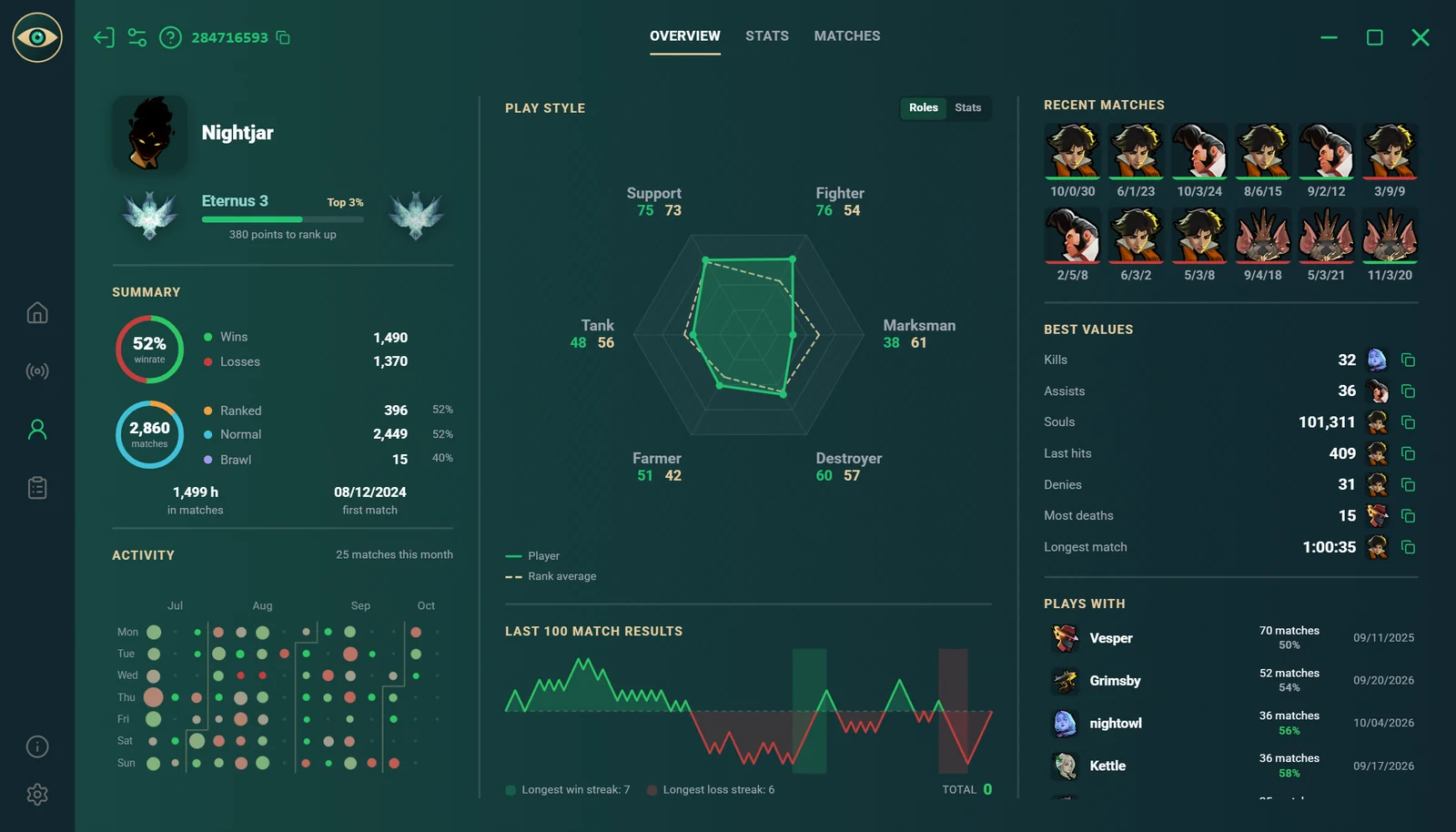
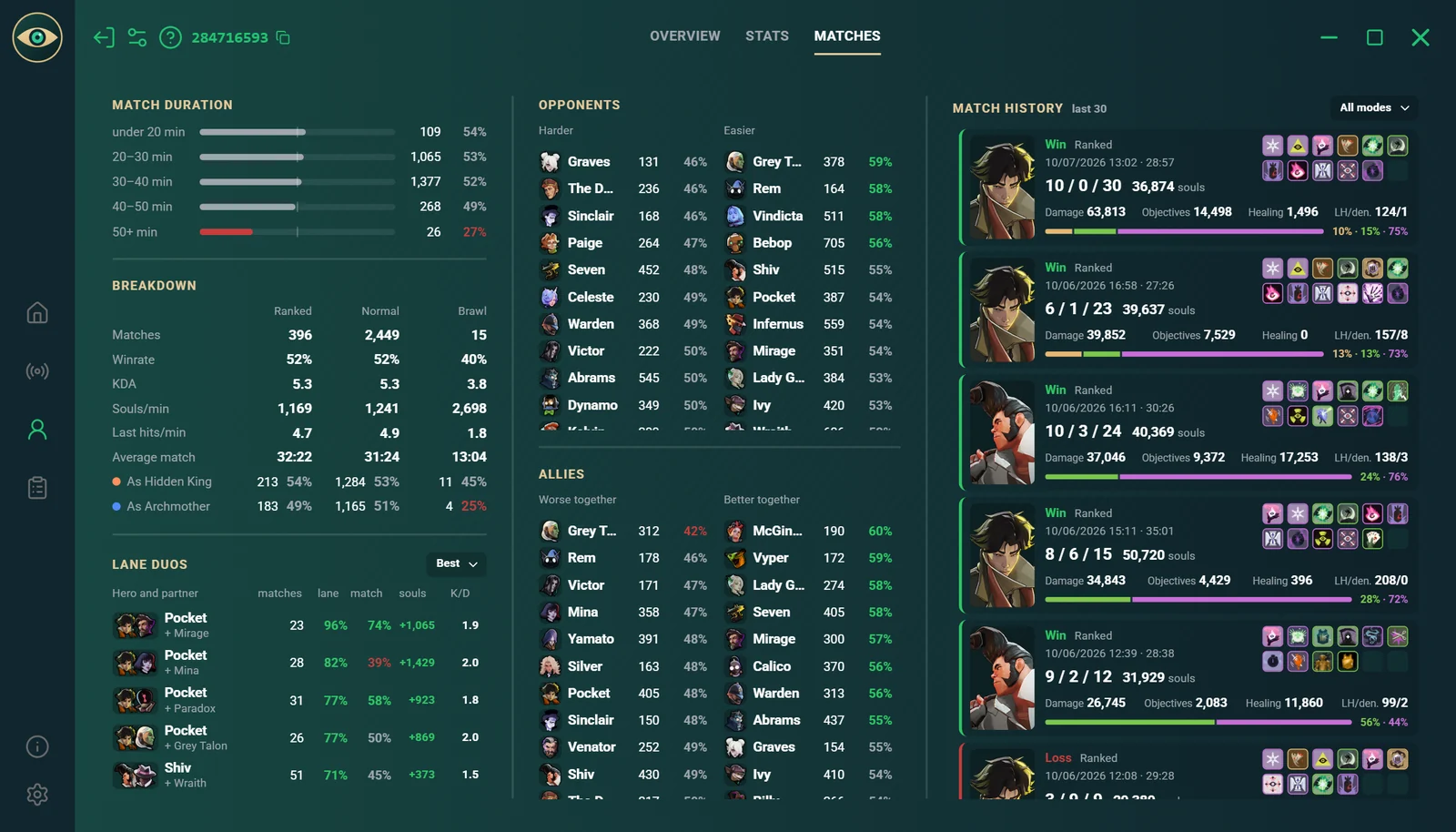
Summary and form over recent matchesHeroes, win rate and trendsThe full match history with results
03 – Match breakdown

See where the game was decided

Souls over time, where they came from and how the lanes ended. See the moment the match slipped away — and what to do differently next time.
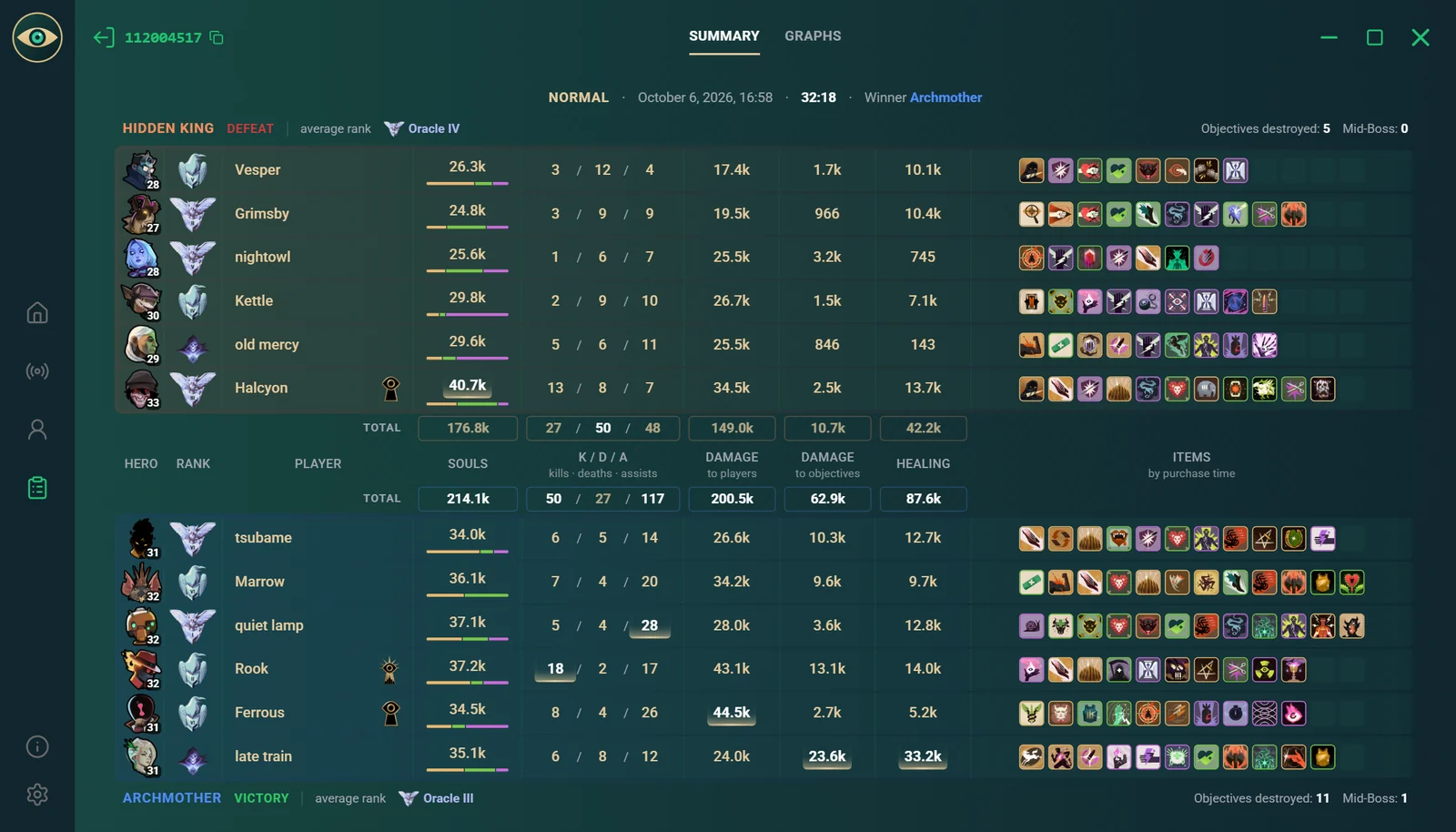
The full match table with ranksTeam advantage minute by minuteWho won the laning phase

More with Plus

Discover more possibilities

Player notes
Lowlander
kotik
grey_owl
Marlow
sunny
Vexxor
moth
Kairo
Delta9
grey_owlHe's good
Note×

Recall marked players the next time you meet them.

Your own match queries
Match query
All matches
HeroParadoxModeRankedNet worth50k+Duration30 min+ResultWinPeriod30 days
Match history
Win24:1038k
Loss38:4241k
Win29:0545k
Win33:1852k
Loss21:4727k
Win41:0261k
Win36:5158k
Win42:1063k
Win33:2755k
Win44:0971k
Win31:5552k
Win39:4057k

Wondering “How often did I win on this hero with good net worth?” — build a query your way and find out.

Extendedstats
Plus
42matches
31hours played
6days in a row
Plus
Match 1+0
Cosmetics
kotikPRO
Lowlandr
RimZotik
Marlowe7
sunnyday
Lv. 1Lv. 2

Every DeadLyze user sees your highlighted nickname among other players.

7 days of Plus for freeTry everything the subscription offersTry it

Know your opponents before the fight begins

Windows 11 and 10

If Windows warns you

The installer doesn't have a digital signature yet, so Windows may treat it with caution.

A “Windows protected your PC” window appeared

  1. Click “More info”
  2. Click “Run anyway”

The file disappeared right after downloading

  1. Open “Windows Security” → “Virus & threat protection” → “Protection history”
  2. Select the DeadLyze entry and click “Actions” → “Allow on device”
  3. Download the installer again

FAQ

No cases of bans for DeadLyze are known. The app doesn't read the game's memory, doesn't intercept network traffic and doesn't interfere with the game's servers. It uses a mod that gets data from the game's interface and, like other mods, is located in the addons folder.

That's how Windows treats programs without a digital signature, and DeadLyze doesn't have one yet. The fix is above, under “If Windows warns you”.

No. Launch Deadlock as usual — the launch button in the app is just for convenience.

From the Deadlock API, a public Deadlock stats service. The connection status is shown at the top of the app's home page. If there's no connection, the service is temporarily unavailable — stats will return once it's back.

Write to support on the Help page or at support@deadlyze.ru. If you're asked for logs: in the app open Settings → Data → “App logs” — the archive is saved to Downloads.

Didn't find an answer? Help and support